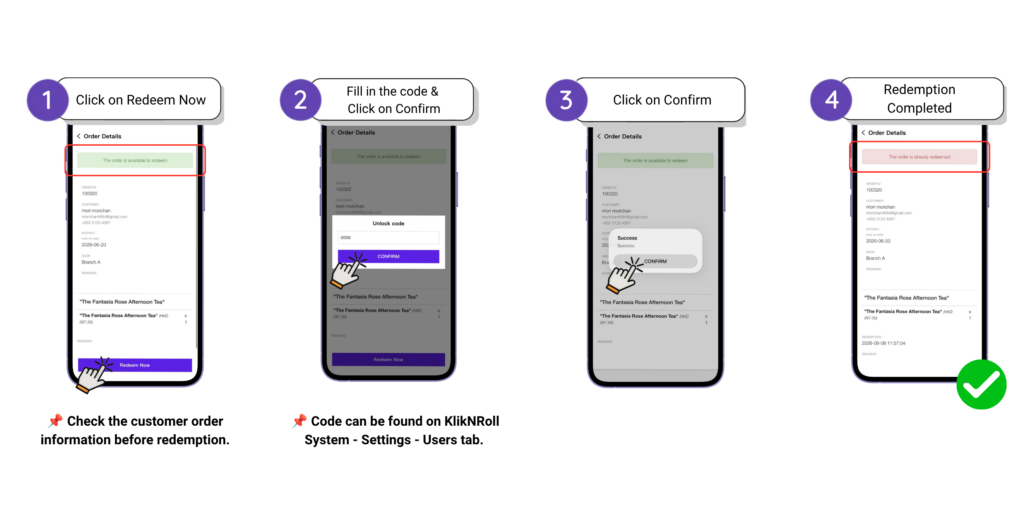
The Search & Redemption Orders function allows staff to quickly find customer orders and process redemptions through the KlikNRoll Merchant App.
Search Order
Staff can search for an order using any of the following methods. This helps verify the order before completing the redemption at the selected store.
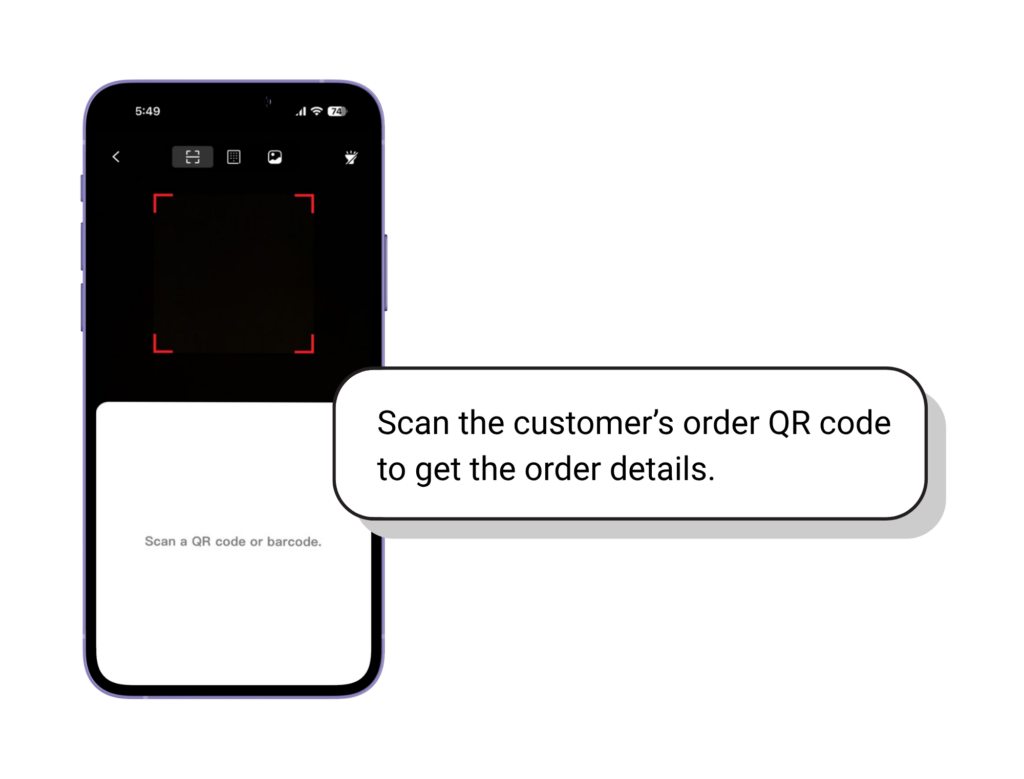
Method 1: Scan by QR Code
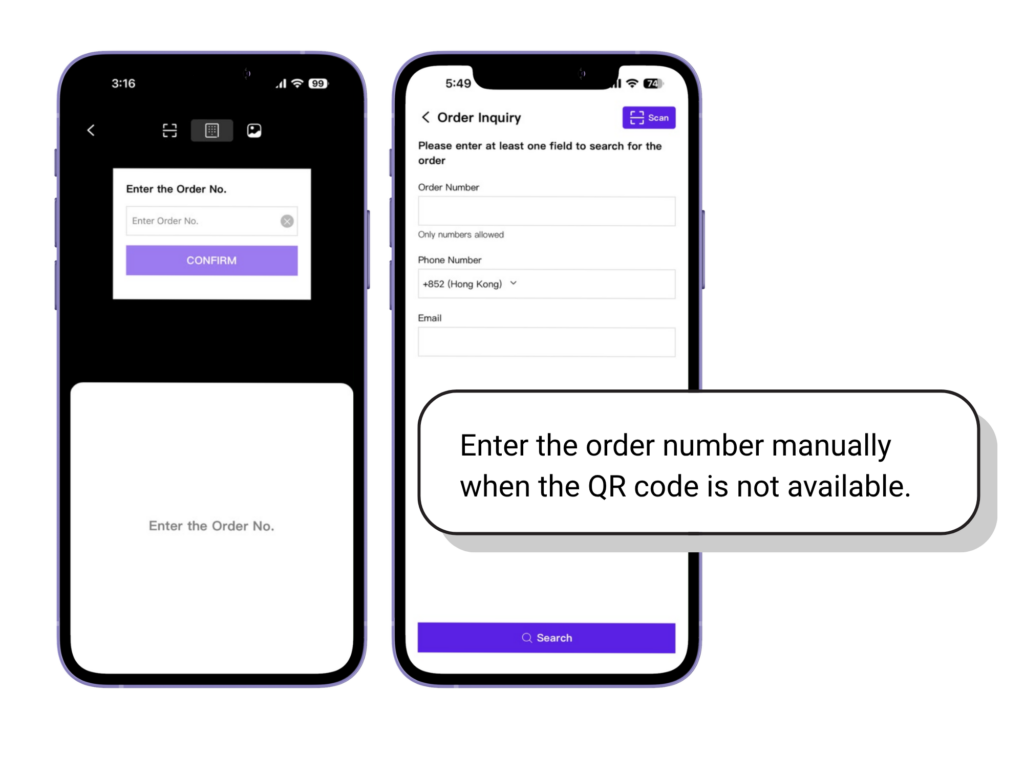
Method 2: Search by Order Number
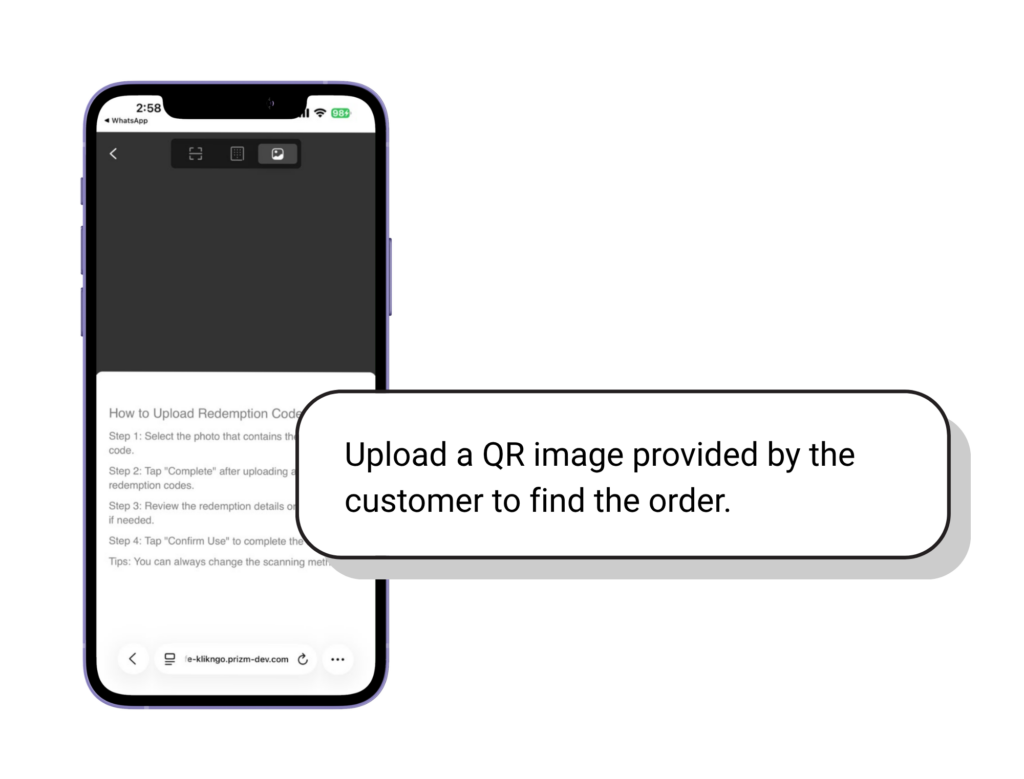
Method 3: Upload QR Code Image
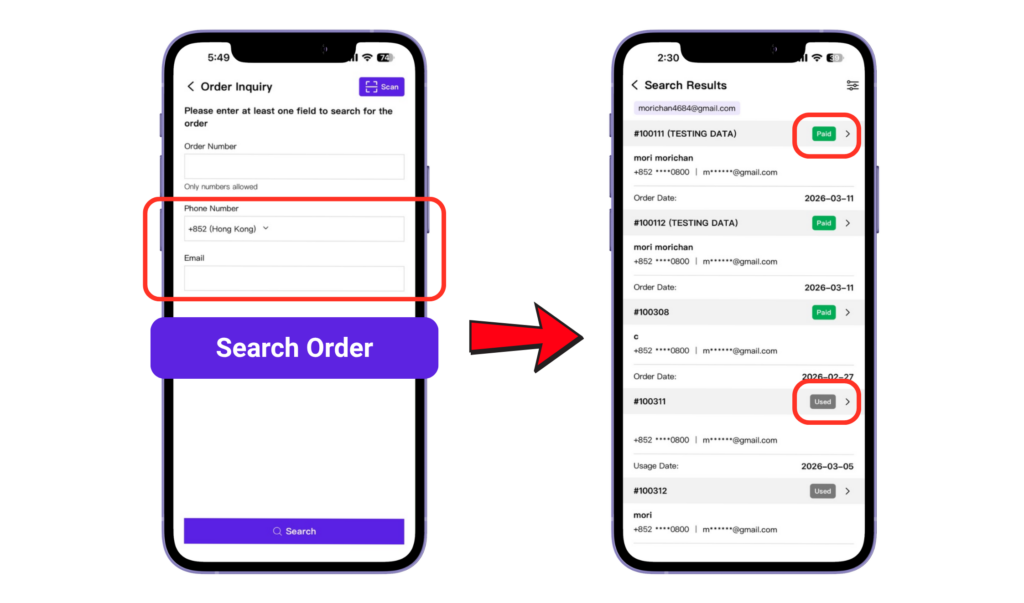
Method 4 & 5: Search by Mobile Number / Email Address
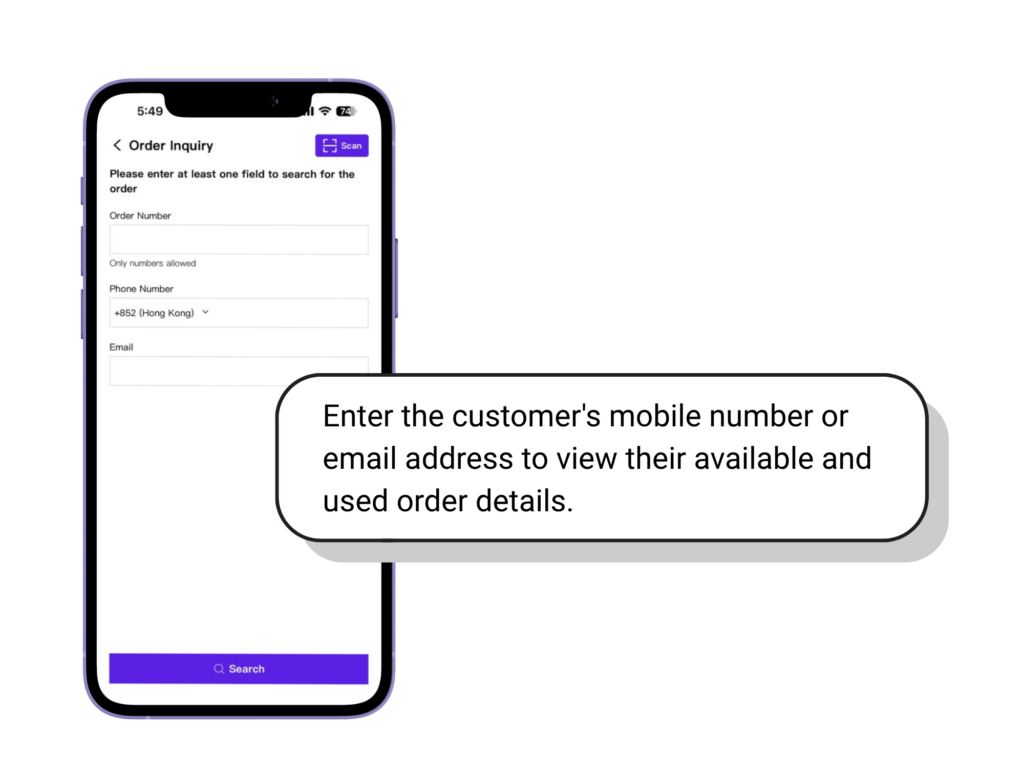
📌Tips: View the customer’s complete order summary, including all available and redeemed orders.
Redemption Order